Equipment and Tools

10 Best HVAC Load Calculation Software & Tools (2026 Guide)

Discover the best HVAC load calculation software and Manual J tools for 2026. Compare free BTU calculators, ACCA-compliant platforms, and professional HVAC sizing software to improve accuracy, reduce callbacks, and create better estimates.

15 min readPublished July 9, 2026Updated July 14, 2026

An oversized HVAC system short-cycles, wastes energy, and leaves homeowners with uneven temperatures. An undersized system runs nonstop, drives up utility bills, and breaks down faster. Both problems trace back to the same mistake: skipping the load calculation or guessing instead of measuring.

HVAC load calculation software eliminates that guesswork. These tools analyze square footage, insulation levels, window count, climate data, and occupancy to determine exactly how many BTUs a building needs. The result is a properly sized system that delivers consistent comfort, lower energy costs, and fewer callbacks.

This guide ranks the best HVAC load calculation tools for 2026, starting with free calculators you can use from the field right now, then covering the full engineering platforms for detailed Manual J work. We also show how load calculations connect to faster estimates, better margins, and more booked jobs.

Part of the Equipment and Tools section in the HVAC Business Blog.
Free HVAC Calculators You Can Use Right Now

Before we get into the full engineering platforms, here are three free tools built specifically for HVAC contractors. No signup required, no software to install, and you can use them from your phone on a job site today.

1

CloseCrew BTU Calculator

Wrong equipment size is the root cause of comfort complaints, callback warranty work, and lost margin on change orders. An oversized AC short-cycles and fails to dehumidify. An undersized unit cannot maintain setpoint on design days. Running a field BTU screening before you quote gives customers confidence and protects your install margin.

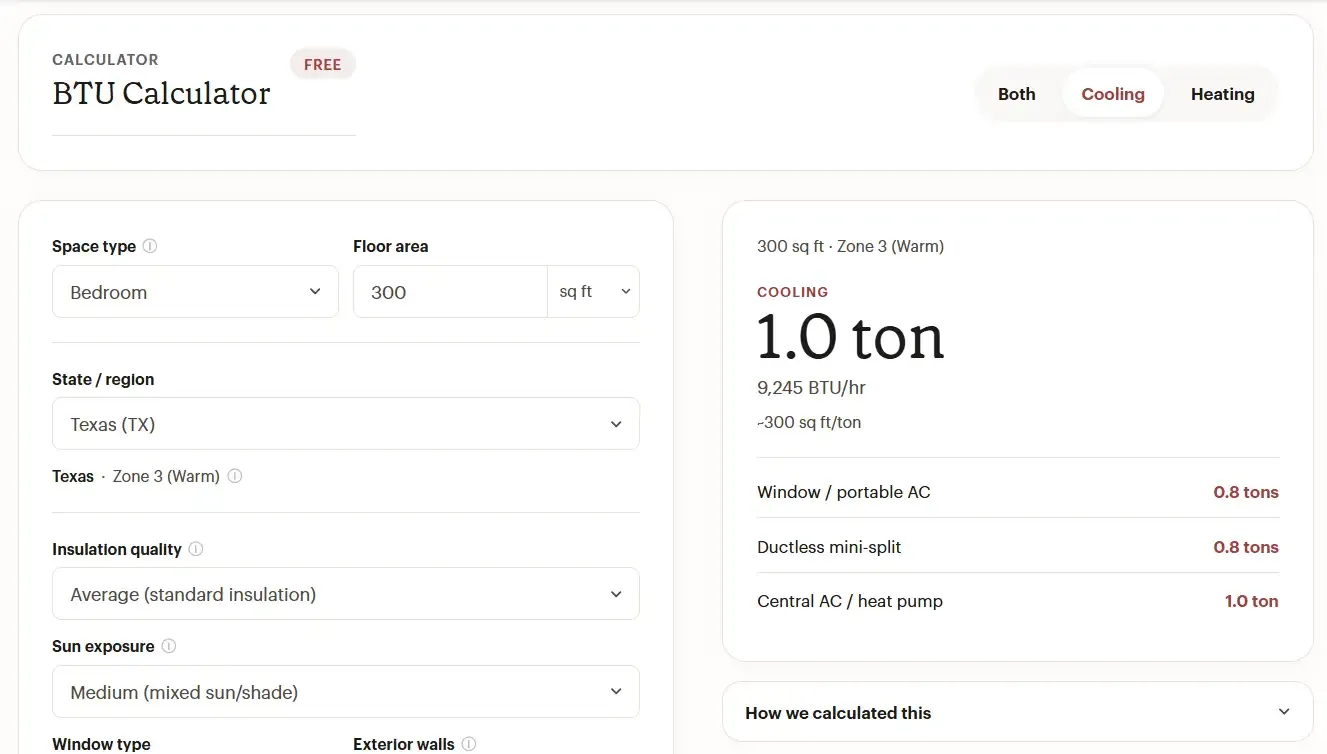
The CloseCrew BTU Calculator adjusts base load by climate zone, insulation quality, ceiling height, window area and type, sun exposure, exterior wall count, and room function. These are the same factors that drive ACCA Manual J room loads.

How it works:

  1. Enter room dimensions. Add square footage, ceiling height, and room type (bedroom, living area, kitchen, sunroom, or garage).

  2. Set climate and envelope. Pick your state or climate zone, insulation quality, exterior wall exposure, window type, and sun exposure.

  3. Get BTU and tonnage. See recommended cooling and heating BTU/hr, tonnage for equipment selection, and seasonal sizing notes for your climate.

The calculator outputs results for three equipment types: window/portable AC, ductless mini-split, and central AC/heat pump. So you can show a homeowner exactly what size system they need across multiple options before you leave the house.

For whole-home replacement sizing with internal gains and air tightness, you'll need one of the full Manual J tools listed later in this guide. For quick room-by-room field screening, this calculator is the fastest path from "how big a unit do I need?" to a confident answer.

btu hvac calculator.webp
2

CloseCrew HVAC Profit Margin Calculator

Revenue is not profit. An $850 HVAC service call can net $45 or $280 depending on loaded labor, parts cost, drive time, commission, and overhead recovery. Most shops discover they are underpricing install and over-discounting service because they track revenue, not margin per job.

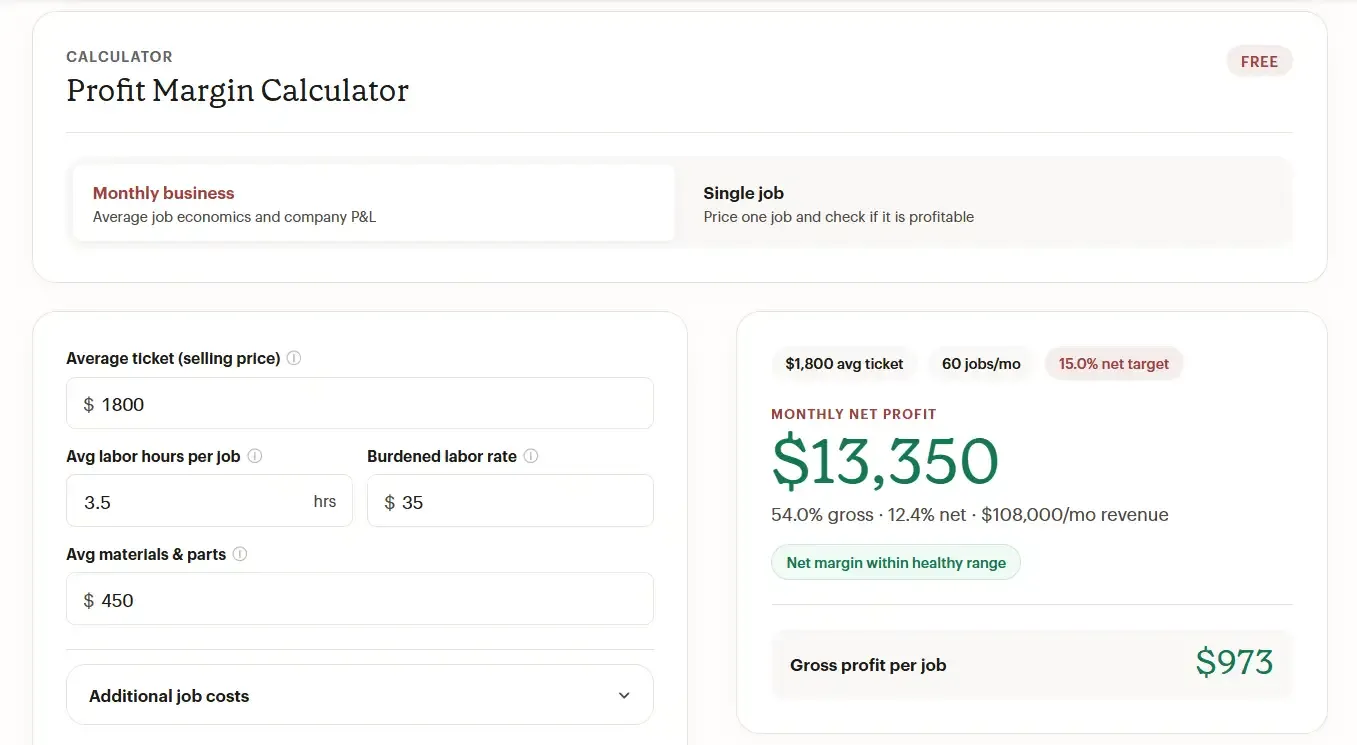
The CloseCrew Profit Margin Calculator does the math most contractors skip. Enter your average ticket price, burdened labor rate (not base wage), materials cost, monthly overhead, and job volume to see gross margin, net margin, and profit dollars at both the single-job and monthly business level.

How it works:

  1. Price a single job. Enter ticket price, labor hours, burdened rate, materials, and overhead allocation to see gross margin, net margin, and profit dollars for one typical job.

  2. Run monthly business economics. Switch to the business view. Add monthly revenue, direct costs, overhead, and jobs completed to see shop-level gross and net margin against industry benchmarks.

  3. Compare to trade benchmarks. See how your margins compare to typical HVAC service and install ranges, then adjust pricing before you quote the next job.

HVAC service work typically needs 55-65% gross margin and 15-25% net after overhead. Install and project work runs lower gross (38-55%) but higher ticket volume. The calculator includes a breakeven analysis, volume scenario projections, and a monthly P&L view so you can validate flat-rate prices before they hit your books.

Why does this belong in a load calculation guide? Because the load calculation determines the equipment size, and the equipment size determines the job price. If your load calculation says 3 tons but your pricing doesn't account for burdened labor and overhead recovery, you'll size the system correctly and still lose money on the install. These two tools work together.

For more on pricing strategy, see our guide on HVAC marketing ideas that help you win jobs at the right margin.

profit margin calculator.webp
3

CloseCrew Missed Call Cost Calculator

You ran the load calculation. You sized the system correctly. The homeowner said they'd think about it. Then they called you back at 7 PM while your team was off the clock. The call went to voicemail. They called the next company in Google results. That company answered. That company got the $8,000 install job.

Industry research shows HVAC contractors miss 27-62% of inbound calls, usually because techs are on a roof or in a panel when the phone rings. Roughly 85% of callers who hit voicemail never call back. They dial a competitor instead.

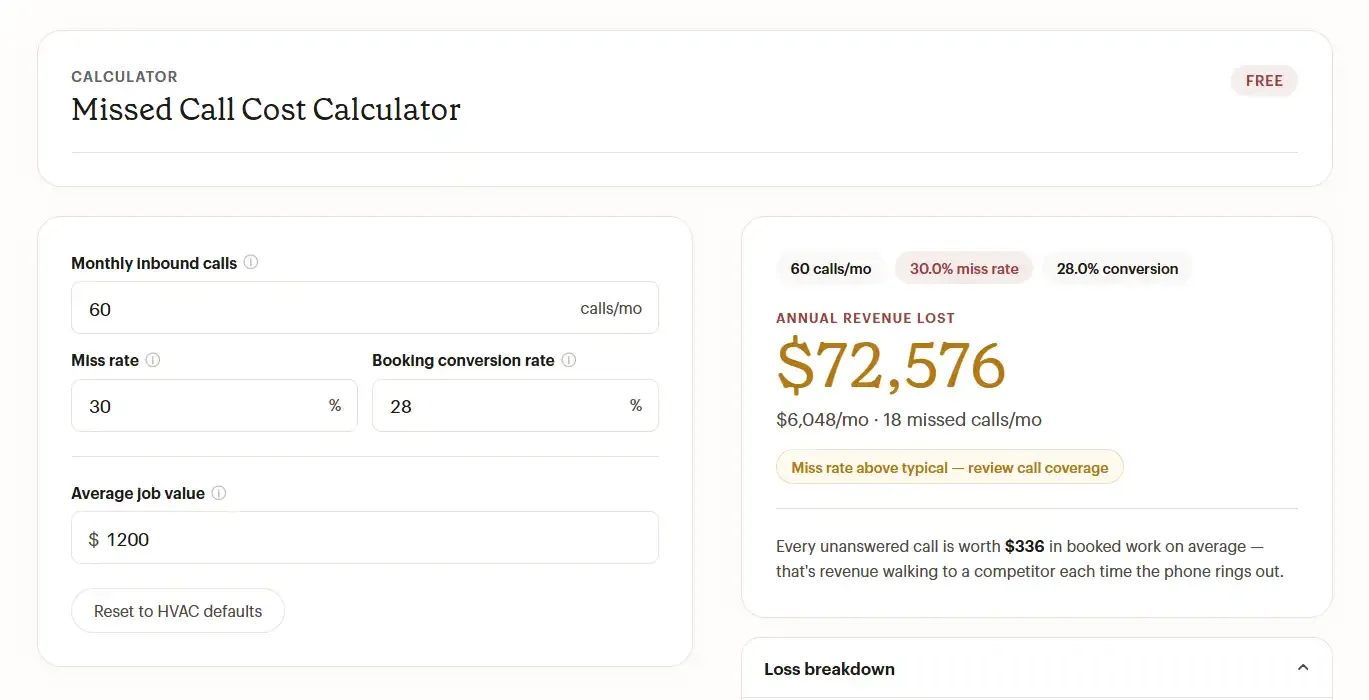
The CloseCrew Missed Call Cost Calculator puts a dollar amount on this problem. Enter your monthly call volume, miss rate, booking conversion rate, and average job value. The calculator shows you monthly and annual revenue leakage, missed calls per month, lost bookings, daily leak, and the average revenue at risk on every unanswered call.

How it works:

  1. Enter your call volume. Add your monthly inbound calls and your miss rate, the percentage that hit voicemail or ring out while your crew is on the job.

  2. Add your booking rate and job value. Enter your booking conversion rate (the percent of answered calls that book) and your blended average job value across service, repair, and install work.

  3. See your revenue leak. Get monthly and annual revenue lost, missed calls per month, lost bookings, daily leak, and the average revenue at risk on every unanswered call.

  4. Plug the leak. Use the numbers to justify 24/7 coverage.

The default HVAC inputs show 60 calls/month, 30% miss rate, 28% booking conversion, and $1,200 average job value. The result: $72,576 in annual revenue lost. Every unanswered call is worth $336 in booked work on average. That's revenue walking to a competitor each time the phone rings out.

The math uses the standard industry formula: missed calls x booking conversion rate x average job value. Defaults are conservative and sourced from industry benchmarks (WhatConverts, ServiceTitan, Dexcomm). Trade-specific presets are available for HVAC, plumbing, and electrical.

This is where load calculations and business operations collide. You can size every system perfectly, price every job correctly, and still lose $72,000 a year because nobody answered the phone. Larry, CloseCrew's AI Employee, answers every call 24/7, qualifies the lead, and books it directly into your calendar so this revenue stops walking to a competitor.

missed call calculator.webp

Full HVAC Load Calculation Software (Manual J and Beyond)

For permit-required work, new construction, or detailed engineering documentation, you need a dedicated Manual J tool. Here are the best options, ranked by accuracy, usability, and value for HVAC contractors.

4

Cool Calc

Cool Calc is a web-based Manual J, S, and D design tool that turns what was once a time-consuming engineering task into a user-friendly workflow. It uses ACCA-approved methodologies and current climate data to generate precise heating and cooling loads. The drag-and-drop interface lets contractors model floor plans quickly, and because it runs in a browser, teams can access calculations from any device.

Detail

Info

Best for

Residential contractors needing affordable, ACCA-compliant calculations

Pricing

Free block load calculations. Room-by-room reports are paid

Manual J/S/D

Full ACCA-approved methodology

Platform

Web-based (accessible from office or field)

Pros: Intuitive drag-and-drop interface. Free block load calculations. Generates detailed PDFs for permitting.

Cons: Can be challenging for technicians unfamiliar with Manual J. Accuracy depends entirely on correct data entry. Limited options for certain construction types.

coolcalc.webp
5

Elite Software Rhvac

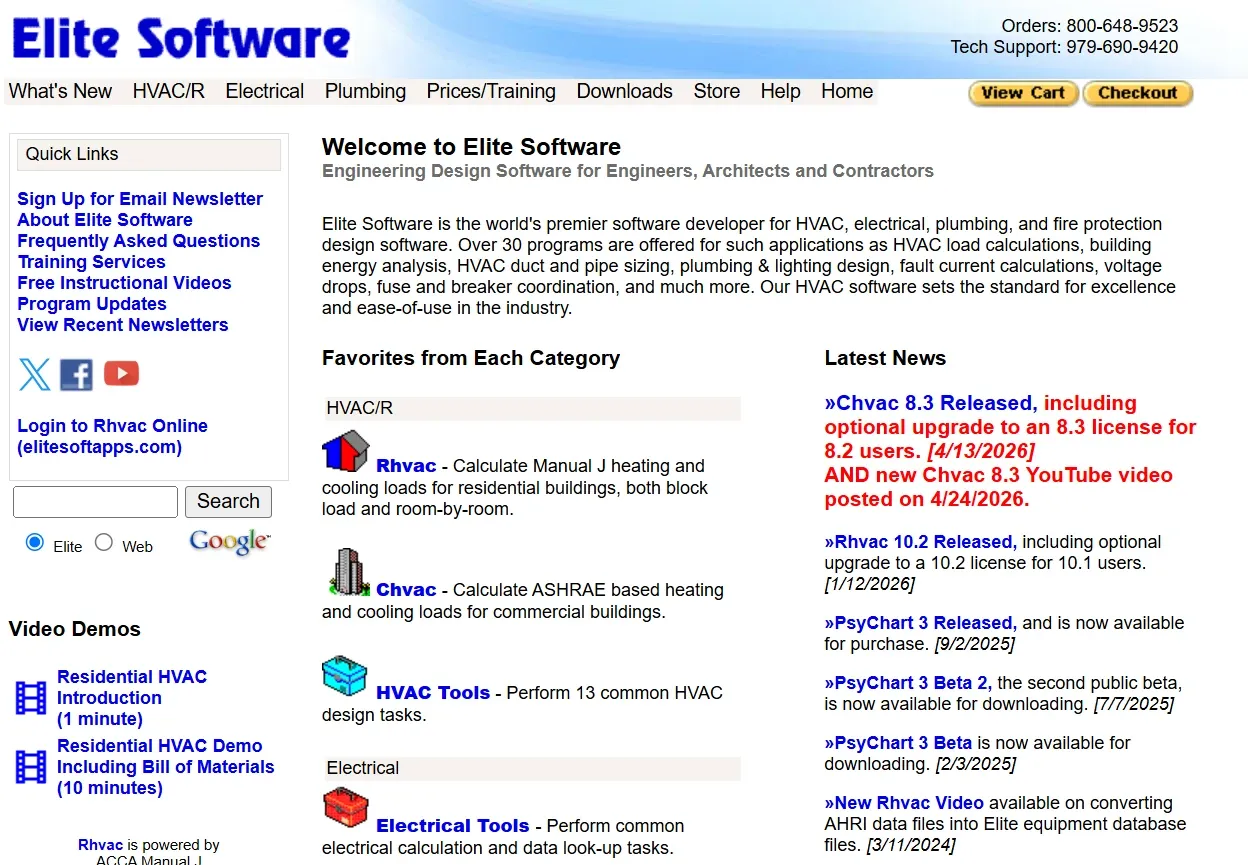
Rhvac is a long-established load calculation program built for residential and commercial applications. Independent reviews consistently rank it among the top HVAC calculation tools for its room-level heating and cooling load outputs. Real users confirm its speed: "RHVAC does a load calculation in a fraction of the time it takes with Manual J" (Dan Schleig, York International Corp).

Detail

Info

Best for

Contractors who prioritize engineering-level precision

Platform

Desktop-based

Manual J/S/D

Full ACCA-approved support

Rating

9.1/10 overall (Gitnux independent review)

Pros: Industry-leading calculation accuracy. Integrated load calculation, equipment sizing, and duct design. Advanced airflow and static pressure analysis.

Cons: Desktop-only limits field accessibility. Interface is less modern than web-based alternatives. Learning curve for beginners.

elite software.webp
6

Wrightsoft

Wrightsoft is the engineering heavyweight. It supports Manual J, S, and D calculations within a single platform, allowing users to move from load calculations to equipment selection and duct design without switching tools. The depth of its engineering capabilities makes it suitable for projects where precision justifies the cost.

Detail

Info

Best for

Complex residential and light commercial HVAC design

Pricing

Premium (costs increased since MiTek acquisition)

Manual J/S/D

Comprehensive support for all three

Pros: Comprehensive Manual J/S/D functionality. Includes in-home mobile selling with financing and proposals. Trusted for eliminating guesswork.

Cons: Complex software requiring significant training. Outdated interface. Premium pricing, especially post-acquisition.

mikewright.webp
7

Energy Design Systems (EDS)

EDS emphasizes accuracy and engineering precision. It produces compliance-ready reports suitable for permitting and inspections, making it a strong option for new construction or major renovations. The platform uses ACCA-certified algorithms with current climate data.

Detail

Info

Best for

Projects requiring detailed code compliance documentation

Certifications

ACCA, AHRI, DOE standards

Manual J/S/D

Full support

Pros: Industry-standard calculation precision (ACCA, AHRI, DOE). Detailed compliance-ready reports. Integrated duct sizing and airflow design.

Cons: Requires training for advanced features. Less streamlined for quick field calculations. Professional-grade pricing.

eds.webp
8

EnergyPlus

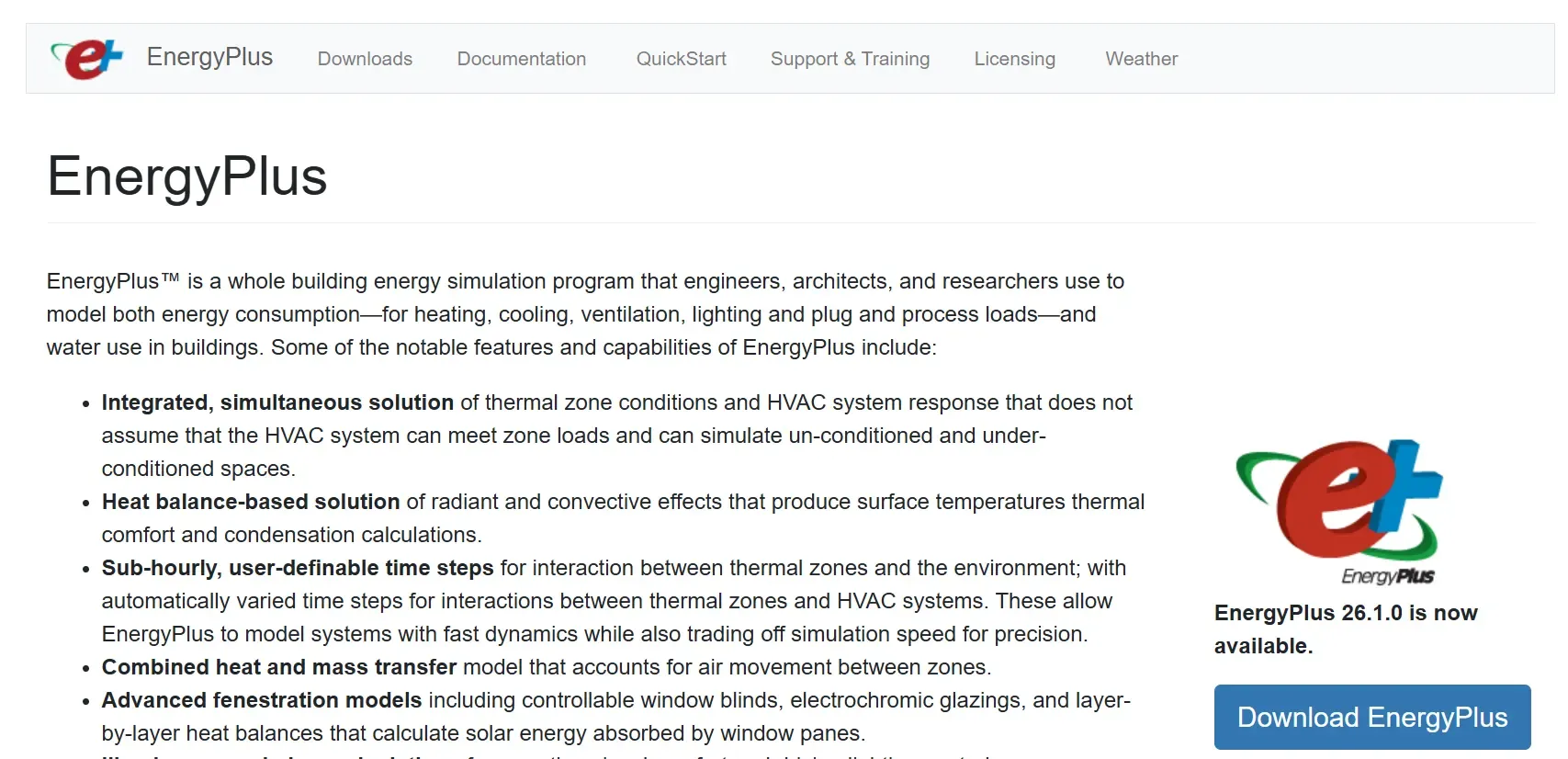
EnergyPlus is not a typical HVAC calculator. It's a full building energy simulation engine that models heating, cooling, ventilation, and energy flows using detailed thermal zones, weather data, and HVAC component models. It performs hour-by-hour dynamic simulations that account for weather patterns, occupancy schedules, and system interactions over time.

Detail

Info

Best for

Engineers and energy modelers doing advanced building simulations

Pricing

Free (open-source, US Department of Energy)

Platform

Desktop (requires third-party interface)

Pros: Physics-based component-level modeling. Free and open-source. Comprehensive simulation for heating, cooling, and water.

Cons: No built-in graphical interface. Steep learning curve. Not designed for quick field work.

energyplus.webp
9

Field Promax

Field Promax embeds a basic load calculator within its broader field service management platform. Contractors input property details, generate load estimates, and translate results into quotes or work orders without switching tools. It's "good enough" for shops that want integrated workflows over engineering depth.

Detail

Info

Best for

Small shops wanting a basic calculator inside an FSM platform

Pricing

Included with Field Promax subscription

Platform

Web and mobile

Pros: Integrates with scheduling, invoicing, and CRM. Simple interface. Seamless workflow from calculation to quote.

Cons: Less advanced than full Manual J software. May not support room-by-room modeling. Limited customization.

field promax.webp
10

ServiceTitan

ServiceTitan is a comprehensive field service management platform that integrates load calculations with estimating, proposal generation, and scheduling. Their Manual J calculation uses ACCA-certified algorithms and ASHRAE 2021 climate data. The LiDAR scanning feature uses laser measurement technology built into iPads to capture 3D room dimensions.

Detail

Info

Best for

Large operations (15+ trucks) wanting load calculations connected to a full FSM platform

Starting price

~$398/technician/month

Manual J

ACCA-certified with ASHRAE 2021 data

Pros: All-in-one platform. LiDAR scanning reduces measurement time. Equipment selection guidance converts load results into BTU/ton recommendations.

Cons: Steep learning curve. Expensive at ~$398/technician/month. Inventory management and QuickBooks integration limitations noted by users. Setup can take 6-10 weeks. Overkill for shops under 15 trucks.

For a broader look at field management systems and how they fit your business, see our comparison guide.

servicetitan.webp

How Load Calculations Connect to Revenue

Getting the system size right is not just a technical detail. It directly affects your bottom line in three ways.

1. It justifies the equipment recommendation. When a homeowner asks "why do I need a 3-ton system instead of a 2.5-ton?" the load calculation provides the answer. That data-backed confidence closes more install jobs than any sales pitch.

2. It protects your margins. Oversizing costs you warranty claims and callbacks. Undersizing costs you reputation and repeat visits. Both eat into the margins that keep your business healthy. Run the numbers through the Profit Margin Calculator before every quote to make sure the install is worth doing.

3. It speeds up the estimate. When load calculation results feed directly into your estimating workflow, techs can build good-better-best proposals on-site. Quotes delivered same-day close at 38-42%. Quotes delivered three days later close at 18-22%. The contractor who gets the estimate in front of the customer first wins the job.

Comparison Table

Tool

Type

Best For

Manual J

Mobile

Cost

CloseCrew BTU Calculator

Free calculator

Quick field sizing

Room-level factors

Yes (web)

Free

CloseCrew Profit Margin

Free calculator

Job pricing validation

N/A

Yes (web)

Free

CloseCrew Missed Call Cost

Free calculator

Revenue leak analysis

N/A

Yes (web)

Free

Cool Calc

Load calc software

Affordable residential

ACCA-approved

Yes (web)

Free block / paid room-by-room

Elite Software Rhvac

Load calc software

Engineering precision

Full J/S/D

No (desktop)

Mid-range

Wrightsoft

Design platform

Complex design

Full J/S/D

Limited

Premium

Energy Design Systems

Design platform

Code compliance

Full J/S/D

Limited

Professional

EnergyPlus

Simulation engine

Energy modeling

Simulation-grade

No (desktop)

Free

Field Promax

FSM with calculator

Basic FSM integration

Basic

Yes (web + mobile)

Included with FSM

ServiceTitan

FSM with load calc

Large operations (15+ trucks)

ACCA-certified

iPad with LiDAR

~$398/tech/month

How to Choose the Right Tool

If your shop...

Start with...

Needs a quick field estimate right now

CloseCrew BTU Calculator (free, instant, from your phone)

Runs 1-5 trucks, residential only

Cool Calc (affordable, web-based, ACCA-compliant)

Needs engineering-level precision

Elite Software Rhvac (top-rated accuracy, desktop)

Handles complex residential or commercial design

Wrightsoft or Energy Design Systems (full J/S/D)

Does advanced energy modeling

EnergyPlus (free, simulation-grade)

Wants load calc inside an FSM platform (small shop)

Field Promax

Wants load calc inside an FSM platform (15+ trucks)

ServiceTitan

Wants to know what missed calls cost

Missed Call Cost Calculator

Wants to validate job pricing and margins

Profit Margin Calculator

Features that matter most

Not all features carry equal weight. Here's what separates basic tools from high-value systems:

  • ACCA-certified Manual J compliance. Required by many building codes for new construction and major replacements. Without this, your calculations may not meet code or manufacturer warranty documentation standards.

  • Room-by-room calculations. Block load estimates are faster but less accurate. Room-by-room prevents uneven temperatures and callbacks.

  • CFM and duct sizing support. Good load calculators translate loads into airflow requirements (CFM) and support duct sizing to prevent hot and cold spots.

  • Equipment sizing recommendations. The best tools convert load results into clear BTU/ton recommendations for equipment from your preferred manufacturers.

  • Mobile accessibility. If the calculation only happens at the office, you add a round-trip to every estimate.

  • Integration with estimating. The load calculation is step one. If it doesn't feed into your estimate builder and your field management system, you're rekeying data and slowing down the quote.

Common Load Calculation Mistakes

  • Using rules of thumb. "One ton per 500 square feet" ignores insulation, windows, orientation, and climate. It leads to oversizing in well-insulated homes and undersizing in older ones.

  • Skipping room-by-room analysis. Whole-house totals mask that one room needs significantly more cooling than others.

  • Not accounting for ductwork. The system size might be right, but undersized or leaky ducts mean the airflow won't match the load.

  • Using outdated climate data. Climate zones shift. Make sure your tool uses current ASHRAE data.

  • Running the calculation but not showing it to the homeowner. The load calculation proves your equipment recommendation is correct. If you don't share it, you lose the trust advantage it creates.

The Load Calculation Gets the Sizing Right. Larry Gets the Job Booked.

Every tool in this guide helps you size HVAC systems accurately. But accurate sizing only generates revenue if the homeowner's call gets answered, the estimate gets followed up on, and the job gets booked.

That's what Larry, does. Larry answers every call 24/7, qualifies the lead, books jobs directly into your calendar, follows up on open estimates, and grows your maintenance memberships. One system that replaces the five tools you're holding together with duct tape.

Arctic Air saw 30% more revenue in one year after hiring Larry. Air Texas booked a $20,000 job after hours because Larry answered when no one else could. Premier Heating and Air cut response time from 12 minutes to under 1 minute and converted 3x more leads.

For more on growing your HVAC business, explore our guides on HVAC SEO tips, the best HVAC websites, and HVAC marketing ideas that actually generate calls.

Your best employee doesn't take days off. Ready to hire Larry?

Frequently asked questions

What is a Manual J load calculation?

Manual J is the ACCA-approved method for calculating residential heating and cooling loads. It analyzes square footage, insulation, windows, orientation, climate data, and occupancy to determine exactly how many BTUs a building needs. It's the industry standard and required by many building codes for new construction and major equipment replacements.

With modern software, a full Manual J room-by-room calculation takes 15-30 minutes. With LiDAR scanning, measurement time drops to under 5 minutes. A quick estimate using the CloseCrew BTU Calculator takes under 2 minutes.

For quick field estimates and preliminary sizing on straightforward residential jobs, yes. For permit-required work, new construction, or manufacturer warranty documentation, use a full ACCA-certified Manual J tool.

Yes. Experience helps you spot obviously wrong results, but it doesn't replace data. Climate conditions change, building materials improve, and code requirements evolve. A documented load calculation also builds homeowner trust and protects you from liability.

Everything. The load calculation sizes the system. The estimate prices the job. But if the homeowner calls you back and nobody answers, the sized-correctly, priced-perfectly job goes to a competitor. A typical HVAC shop misses 27-62% of inbound calls. That costs $72,000+ per year in lost revenue. The best technical work in the world doesn't matter if the phone goes to voicemail.

Related tools

Run the numbers before you update your price book or field software.

Free HVAC Templates

Invoices, estimates, maintenance agreements, and flat-rate pricing sheets for heating and cooling contractors.

Browse HVAC templates

Contractor Blog

Cross-trade guides on hiring, marketing, and operations for every home services business.

View all guides

Meet Larry

AI receptionist built for HVAC — answers calls, books jobs, and follows up on leads 24/7.

See Larry for HVAC

Related articles

Equipment and Tools

10 Best HVAC Multimeters for Techs in 2026

In this guide, you'll find the best HVAC multimeters for 2026, compare their features, pricing, and pros and cons, and learn which models are best for beginners, professionals, and everyday HVAC troubleshooting.

Read guide

Never miss an HVAC service call again. Let Larry, your AI receptionist, book jobs while your crew is in the field.