Building an HVAC website from scratch costs thousands and takes weeks. Templates cost $15-$120 and launch in days. This guide covers what every HVAC template needs, 8 options worth considering, and the setup checklist that turns a template into a lead-generating machine.
Building an HVAC website from scratch is expensive. Custom design costs $3,000 to $10,000. Development takes weeks. Content creation adds more time and budget on top. Most contractors can't justify that spend when starting out.
Templates solve this. They're pre-designed layouts built for heating, cooling, and air conditioning businesses. No coding required. No designer needed. Just swap in your logo, photos, and content. Launch in days instead of months.
Templates cost $15 to $120. Compare that to thousands for custom work. The math is obvious.
But not all templates convert visitors into booked jobs. A pretty design with no phone number above the fold is useless. A template without mobile responsiveness loses 64% of searchers who use their phones. A site without reviews displayed loses the 97% of consumers who read them before hiring.
This guide covers what your template must include. Eight templates worth considering. And how to make sure your site generates leads. Not just looks nice.
A quality template draws visitors in. It builds trust. It turns browsers into booked jobs. These are the non-negotiable elements.
Clear navigation menu
Your menu should be visible at the top of every page. Links to Services, About, Contact, and Reviews. A prominent "Book Now" or "Schedule Service" button.
If visitors can't find what they need in 3 seconds, they leave. They don't explore. They don't scroll. They bounce to your competitor.
Homepage that converts
Your homepage is your digital business card. Visitors decide in 0.05 seconds whether to stay or leave. That's faster than a blink.
The homepage needs five things:
A headline stating your services and location
A strong CTA like "Schedule Service" or "Get a Free Quote"
Customer testimonials visible without scrolling
Brief overview of your core services with links to detail pages
Most "HVAC near me" searches happen on phones. Your template must adapt automatically to any screen size. Text should be readable without zooming. Buttons should be large enough to tap. Phone numbers should be clickable.
How to verify mobile responsiveness:
Text readable without zooming on a phone
Buttons large and easy to tap with a thumb
Layout resizes smoothly across screen sizes
Navigation collapses into a clean mobile menu
Images load fast and scale properly
Forms are simple to complete on a phone
Test the template on your actual phone before buying. Desktop previews don't tell the full story.
Branding elements
Your template should support your brand identity. Logo placement. Brand colors. Typography that matches your company. Consistent branding between your physical presence and website builds trust.
Skip templates that lock you into their colors. Logo customization is non-negotiable.
Reviews prove your expertise to new visitors still considering options. Position them where visitors can't miss them. Above the fold or right after your service overview.
Managing reviews across Google, Yelp, and Facebook gets messy fast. CloseCrew's reputation tools consolidate all reviews into one dashboard. You see every review. You respond from one place. New review requests go out automatically after every completed job.
Here's what that looks like. A tech finishes a furnace repair at 3 PM. CloseCrew sends the review request at 3:05 PM. The customer taps the link. Leaves a 5-star review by 3:15 PM. No CSR remembered to ask. The automation handled it.
Multiply that across 80 jobs per month. Even at 20% response rate, that's 16 new reviews monthly. 192 per year. Your competitor who asks manually gets maybe 20 all year. You win the trust game. You win the ranking. You win the revenue.
Seeing this in action takes 15 minutes. It changes how you think about your website's role in your business.
For reputation strategies that drive calls, see our marketing guide.
Why HVAC contractors should use templates
Four reasons templates beat custom builds for most shops:
Cost. Custom HVAC websites cost $3,000 to $10,000+. Templates cost $15 to $120. The savings fund your first month of Google Ads.
Speed. Custom development takes 4-8 weeks. Templates launch in 2-5 days. Every day without a website is a day competitors capture your leads.
Functionality. Good templates include galleries, service descriptions, contact forms, and booking widgets. The components you need are already built.
Customization. Change layouts. Delete pages. Swap colors. Add your photos. Tailor everything to your brand without touching code.
Templates aren't permanent. They're a fast, affordable way to get online. You can always upgrade to a custom site later when revenue justifies the investment. But waiting for a custom site before going online costs you leads every day.
8 templates worth considering
1
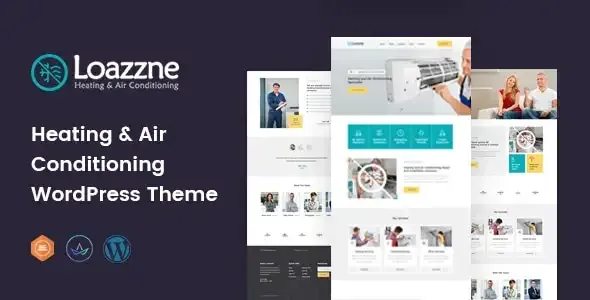
Loazzne (WordPress). $49
Loazzne is professional WordPress theme for AC and refrigeration services. Intuitive menu bar. Header slider with CTAs. Social media links. Drag-and-drop page builder. Good for shops wanting a polished look without coding.
Strengths: Clean design. Easy customization with Elementor. Responsive on all devices.
Best for: Established HVAC companies wanting a professional upgrade from a basic site.
2
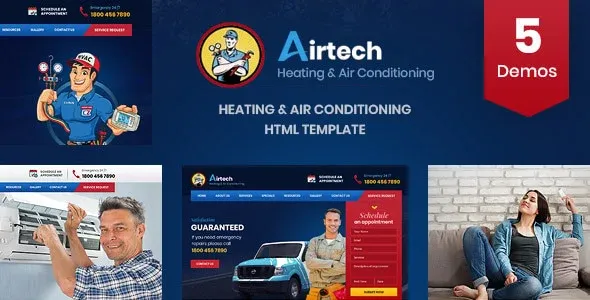
Airtech (HTML5). $15
Airtech is the most affordable option on this list. HTML5 template with responsive design across all major devices. Clear navigation. Separate testimonials page. CTAs placed strategically across pages.
Best for: Budget-conscious contractors who want a functional site fast.
3
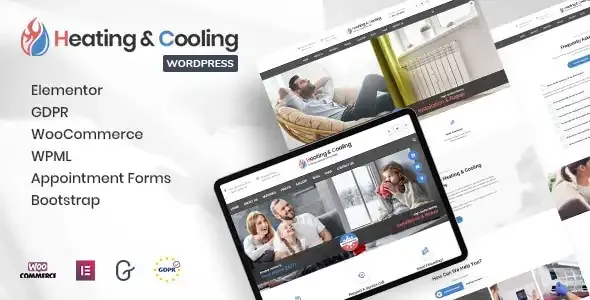
HeaCool (WordPress). $29
HeaCool is a WordPress theme with service pages, a blog, an FAQ page, and Google Maps integration. Customer testimonials displayed in slider animations. Additional service sections on the homepage for advertising offerings.
Strengths: Built-in FAQ page (great for SEO). Google Maps in the footer. Blog-ready.
Best for: Contractors who plan to publish content for HVAC SEO.
4
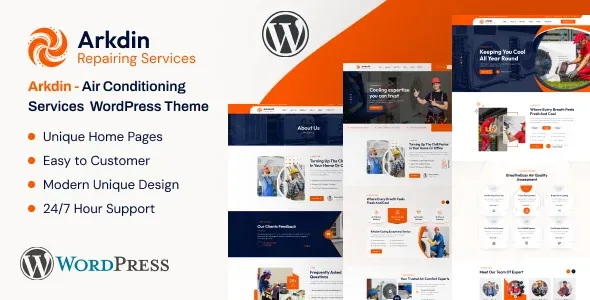
Arkdin (WordPress). $49
Arkdin is a sleek WordPress theme for installation, maintenance, and repair services. Built with Elementor page builder. Typography controls. Responsive design. Clean layout that balances professionalism and flexibility.
Strengths: Modern design. Elementor builder. Customizable Google Maps.
Best for: Shops wanting a contemporary look with strong customization.
5
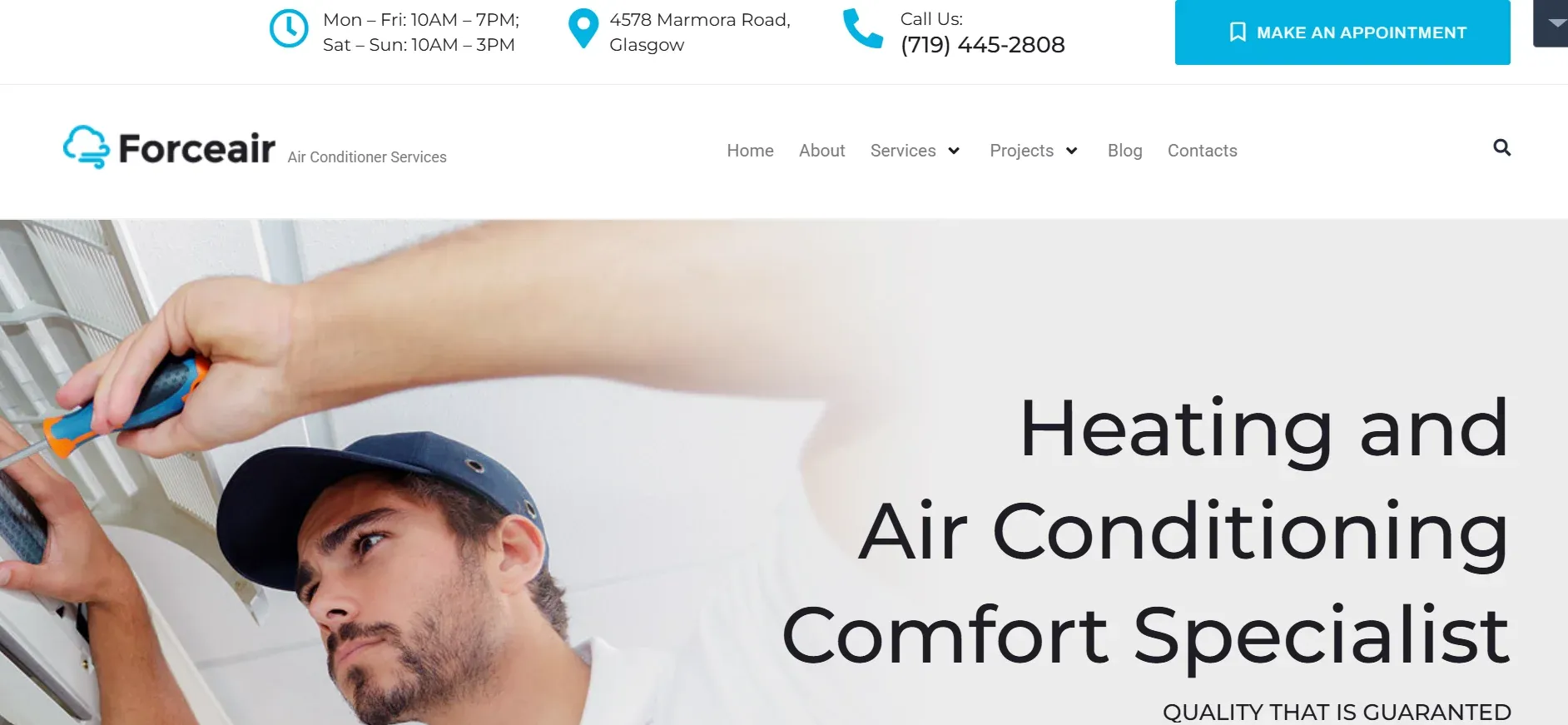
Forceair (WordPress). $64
Forceair is a WordPress theme with responsive design, extensive documentation, and free stock images included. Clean layout with 12 pre-built pages. Booking form and contact details at the bottom of every page.
Best for: Contractors who want a complete site structure out of the box.
6
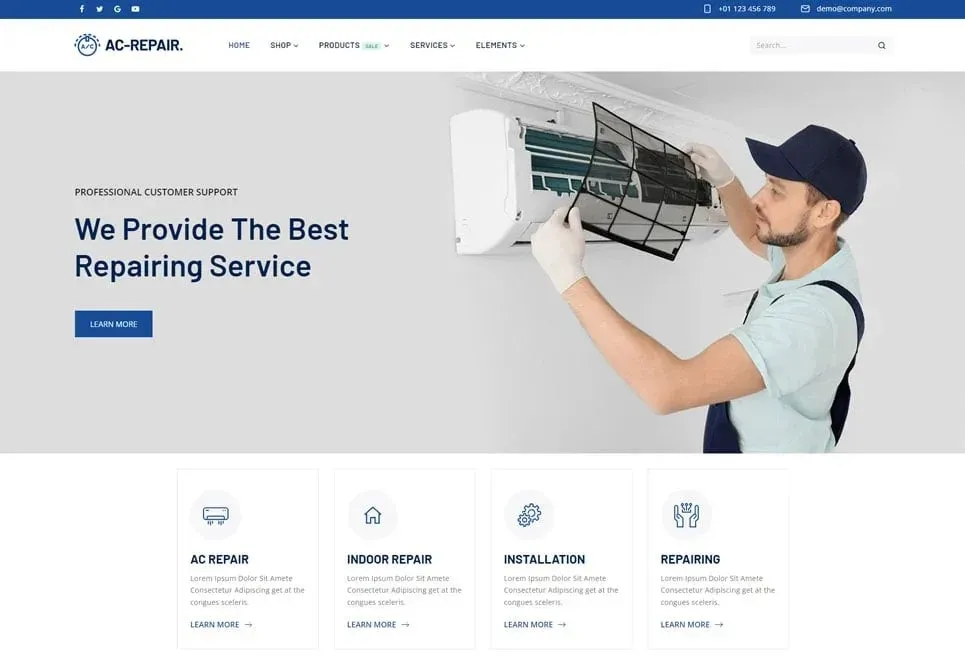
AC-Repair (WordPress). $43
AC-Repair is an intuitive drop-down menu with a gallery, search bar, and sliding header animations. Contact form and Google Maps on the homepage. Good visual design for showcasing repair and installation work.
Strengths: Search bar for easy navigation. Gallery for project photos. Clean mobile layout.
Best for: Repair-focused shops wanting to showcase their work visually.
7
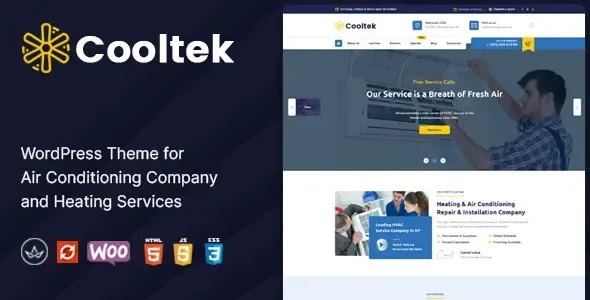
Cooltek (WordPress). $59
CooltekProfessional is a template designed specifically for HVAC companies. Gallery sections for showcasing services. Contact form on homepage. Readable typography with good color contrast.
Strengths: Purpose-built for HVAC. Strong typography. Professional gallery layouts.
Best for: Shops wanting a template that looks custom without the custom price.
8
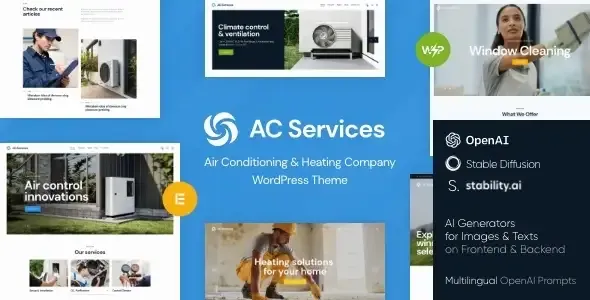
AC Services (HTML5). $69
AC Services is a template built for HVAC and related services. Drop-down menu with search bar. Service sections with galleries on the homepage. Compensates for lacking a separate services page with strong homepage organization.
Strengths: Search functionality. Homepage gallery sections. Good for multi-service businesses.
Best for: Companies offering HVAC alongside related services.
What to do after choosing a template
Picking an template is step one. Customizing it to convert visitors is step two. Here's your setup checklist.
Add your real photos
Replace every stock image with real photos. Your team. Your trucks. Your completed jobs. Customers hire people, not stock photos. Real images build trust that generic photos never will.
Write service pages that rank
Create a dedicated page for each service. AC installation. Furnace repair. Duct cleaning. Heat pump installation. EV charger installation. Each page targets specific keywords.
Write for customers, not search engines. Explain what you do. How it helps them. What it costs. Why they should choose you. The SEO follows naturally from helpful content.
If you serve multiple cities, create a page for each one. "HVAC Repair in [City]" pages rank for local searches. Each page should include the city name, your service area, and local testimonials if possible.
Set up Google Business Profile
Your website and GBP work together. Claim your profile. Complete every field. Add your website URL. Keep hours accurate. Post weekly updates. This combination drives local visibility.
Install tracking
Add Google Analytics from day one. Track where visitors come from. Which pages they view. How many call or book. Without tracking, you're guessing. Guessing wastes money.
The part your website can't do alone
Your template looks professional. Your service pages rank. Your reviews build trust. Visitors find you on Google. They tap the phone number.
And nobody answers.
This is where most HVAC websites fail. Not in design. Not in SEO. In the moment that matters most. The phone call.
41% of home service bookings come after hours. Your website works 24/7. Your phone doesn't. A homeowner whose AC dies at 9 PM finds your site. They're ready to book. They call. Voicemail. They call the next company. That company answers. That company gets the $1,500 repair.
Your website did its job perfectly. Your phone dropped the ball.
Larry, CloseCrew's AI Employee, answers every call 24/7. He qualifies the lead. He books the job into your calendar. He sends a confirmation text. The website generates the lead. Larry converts it.
Arctic Air saw 30% more revenue in one year. Premier Heating cut response time to under 1 minute and converted 3x more leads. Air Design added 13 extra appointments in 30 days.
Your website is the foundation. But a foundation without walls doesn't keep anyone warm. Larry is the wall between your leads and your competitors.
Common template mistakes
Choosing design over function. A beautiful template that loads in 8 seconds and hides the phone number is worse than an ugly one that loads in 2 seconds with the number on top.
Using stock photos only. Customers know stock photos aren't real. Real team photos build 3x more trust. Invest one hour in a photo shoot.
One "Services" page for everything. Separate pages for each service rank better and help customers find exactly what they need.
No reviews on the homepage. If reviews only live on Google, you're forcing visitors to search for them. Pull your best reviews onto the homepage.
No mobile testing. Preview on desktop. Then test on your actual phone. Tap every button. Fill out every form. If anything is frustrating, fix it before launch.
No booking form or chat. 70% of consumers prefer scheduling online. Phone-only sites lose the customers who don't want to call.
A good template gets you online fast and cheap. But the website only generates leads. Someone still needs to answer the phone. Follow up on estimates. Book the job. Confirm the appointment.
Most HVAC companies invest thousands in their website. Then lose thousands more because nobody answers after-hours calls. The website works 24/7. The phone doesn't. That gap costs real money every month.
CloseCrew closes that gap. Larry answers 24/7. Books jobs into your calendar. Follows up on estimates. Automates review requests. Your template builds the storefront. Larry runs the front desk. Together they turn a $50 template into a lead machine.
The contractors who win online aren't the ones with the fanciest websites. They're the ones who answer every call and follow up on every lead. The template gets them found. The system gets them booked.
Ready to see how it works for your shop?
Frequently asked questions
How much does an HVAC template cost?
$15 to $120 for the template itself. Hosting adds $5 to $30/month. A domain name adds $10 to $15/year. Total first-year cost: $100 to $500. Compare that to $3,000 to $10,000 for custom development.
Can I customize an HVAC template without coding?
Yes. WordPress themes with Elementor or drag-and-drop builders require zero coding. Upload your logo. Change colors. Swap images. Edit text. All visual. All point-and-click.
Are one-page HVAC templates effective?
For solo contractors wanting a simple presence, yes. But one-page designs limit your ability to rank for multiple services and locations. If you plan to grow, choose a multi-page template from the start.
What pages should every HVAC website have?
Homepage. About. Individual service pages (one per service). Contact. Reviews. Service area (one per city). Blog. FAQ. Pricing or financing page. Start with these. Expand as your content grows.
How long does it take to launch with a template?
Two to five days if your content is ready. One to two weeks if you need to write service descriptions and take photos. The template itself installs in under an hour.
Which template platform is best for HVAC?
WordPress with Elementor for most contractors. It's the most popular CMS. Thousands of plugins available. Easy to find help if you get stuck. HTML5 templates are cheaper but need more technical knowledge to customize.
Do I need a separate mobile website?
No. Choose a responsive template that adapts automatically. One site handles desktop, tablet, and phone. Google uses the mobile version for ranking. A separate mobile site creates duplicate content issues.
Should I hire a designer or use a template?
Template first. Get online fast and start generating leads. Invest in custom design later when revenue justifies it. A $50 template generating 5 leads per week beats waiting 8 weeks for a custom build.
Related tools
Run the numbers before you update your price book or field software.
Free HVAC Templates
Invoices, estimates, maintenance agreements, and flat-rate pricing sheets for heating and cooling contractors.
A 2026 guide to leading HVAC manufacturers in the U.S. and worldwide, plus practical steps for choosing the right HVAC equipment supplier for your business.